
Learn how to set up the Drip Integration for SegMate
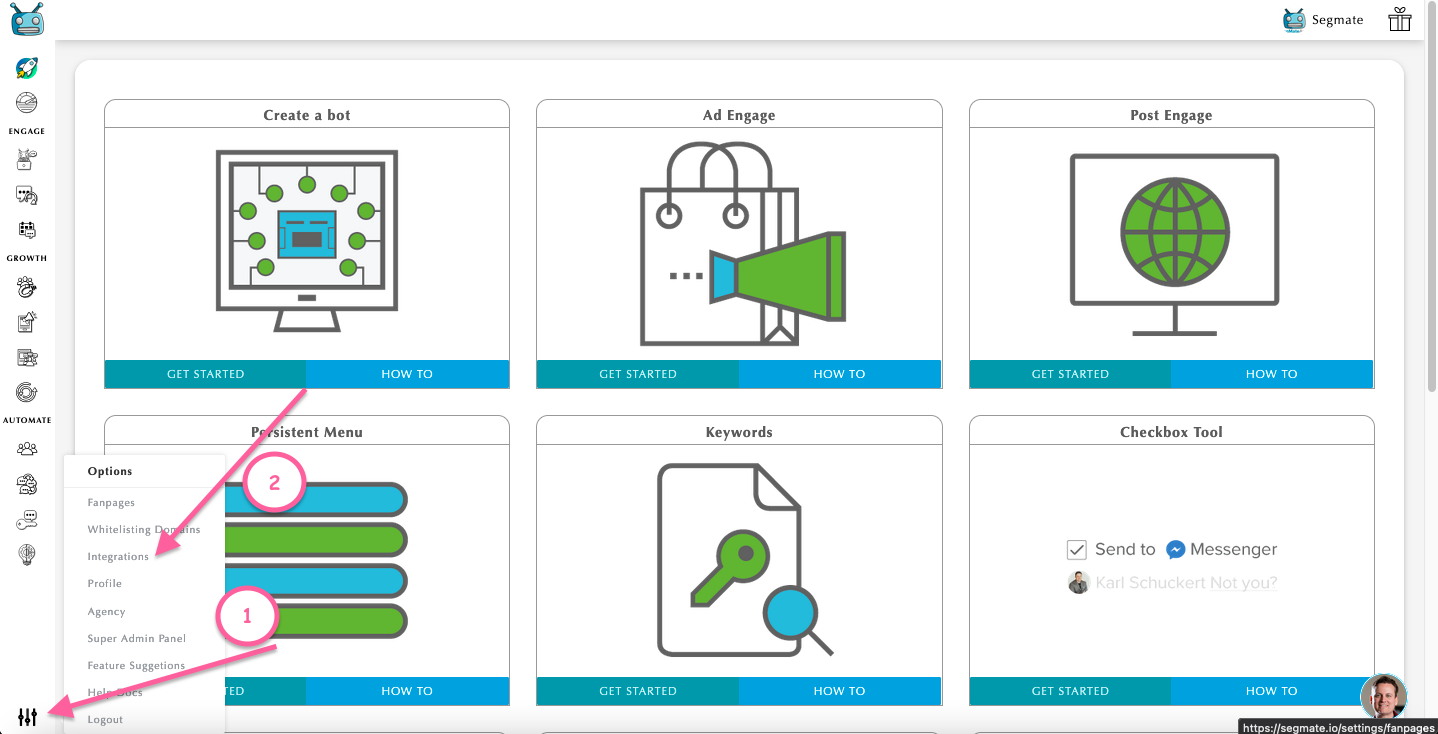
Step 1: Log in to your SegMate account. Hover your mouse cursor over Settings in the bottom left corner and select Integrations. Add New Integration.
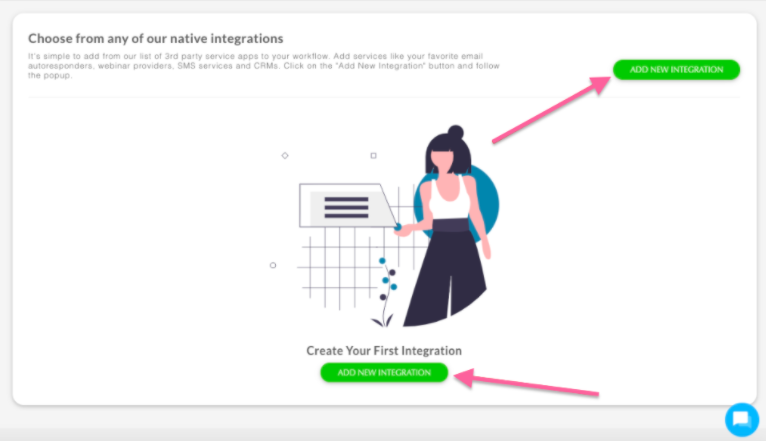
Step 2: Add Nickname > Select a Service > Add API KEY and Account ID. Then click Save Changes.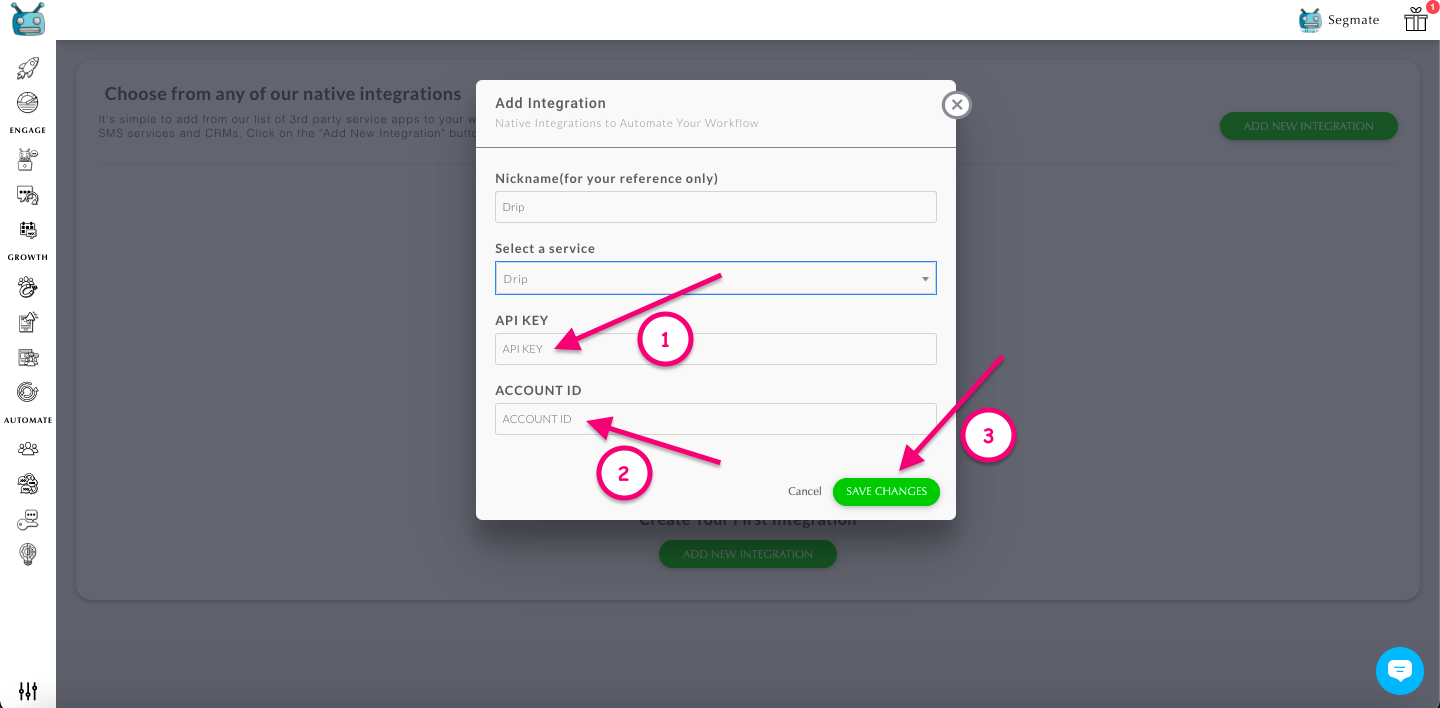
Note: You need to log in to your Drip account in order to get your API KEY and Account ID.
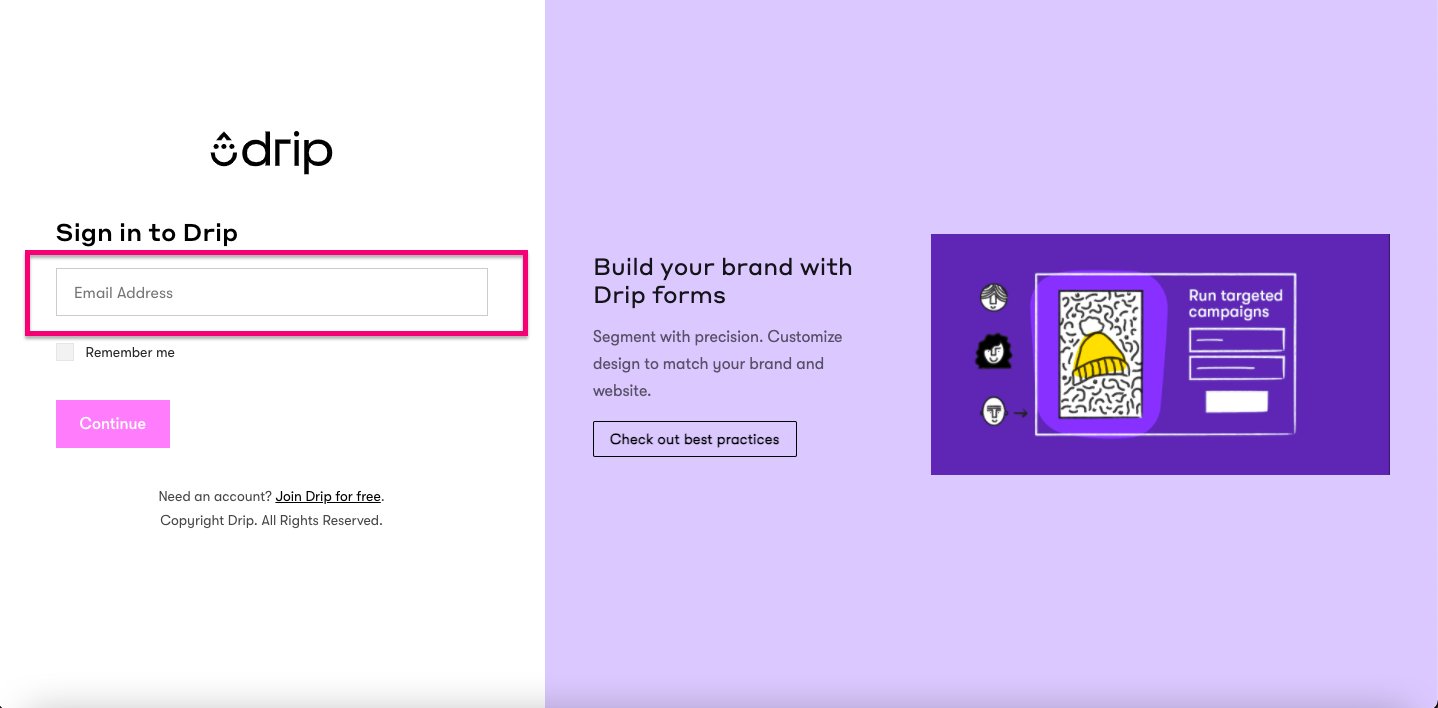
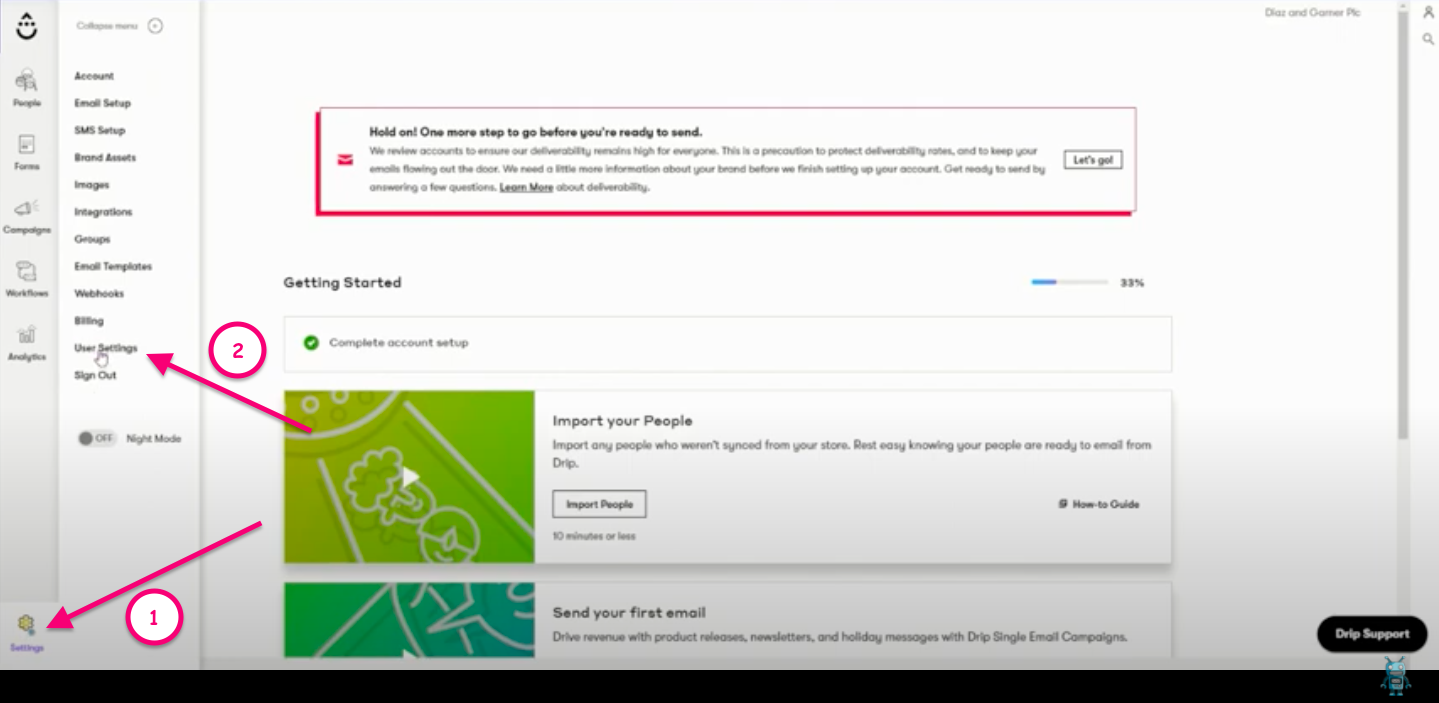
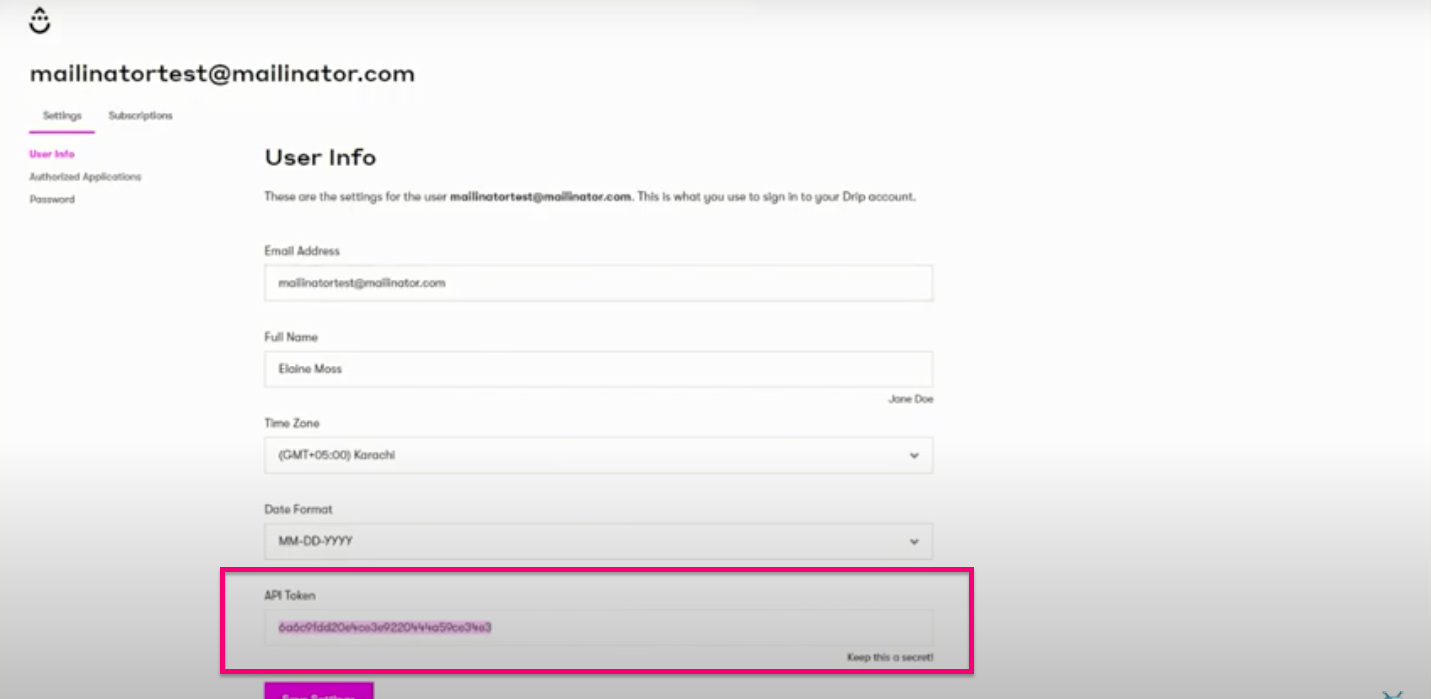
Step 1: To get the API KEY, go to Settings > User settings. Then scroll down to API Token and copy it to SegMate.
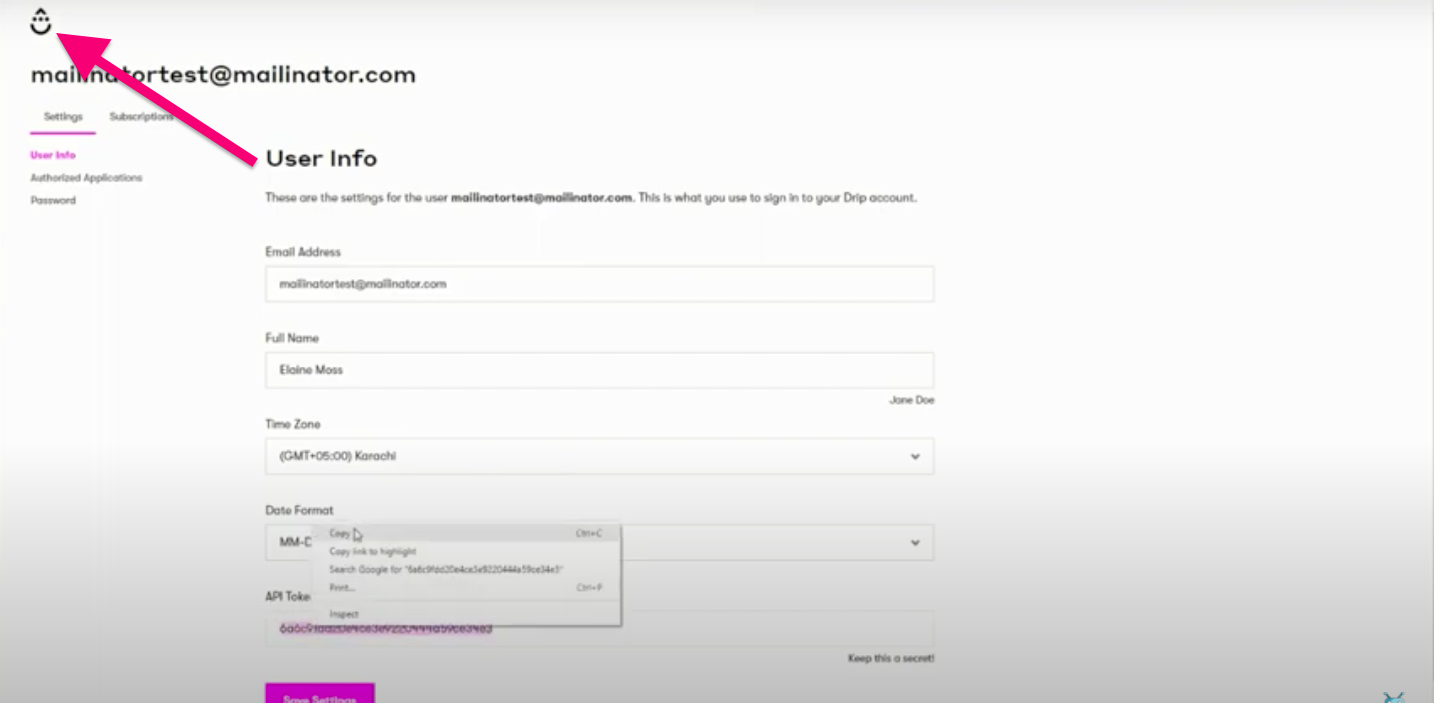
Step 2: To get the Account ID, click the Drip Icon.
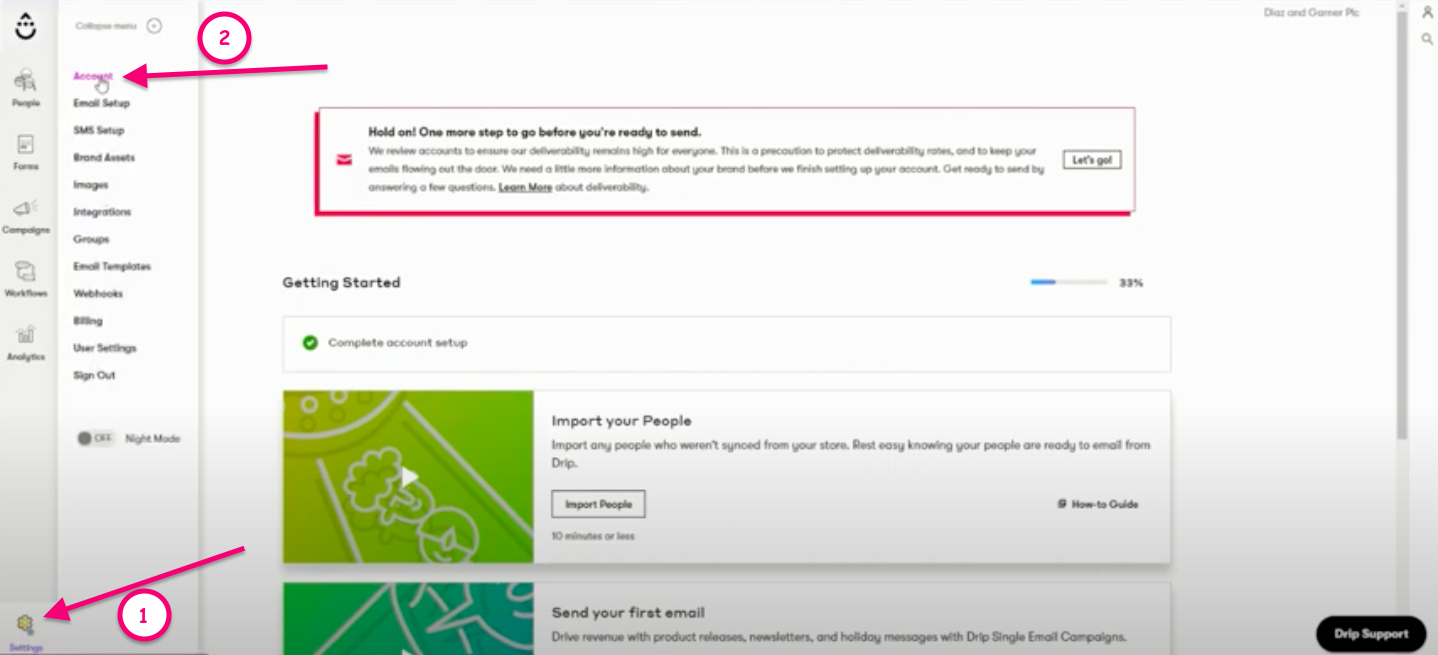
Step 3: Go to Settings > Account. Then scroll down to Account ID and copy it to SegMate. Then click Save Changes.
To learn more about the General 3rd party Integration Settings for SegMate, please click HERE.